
Measurement unit
List of known issues and solutions.
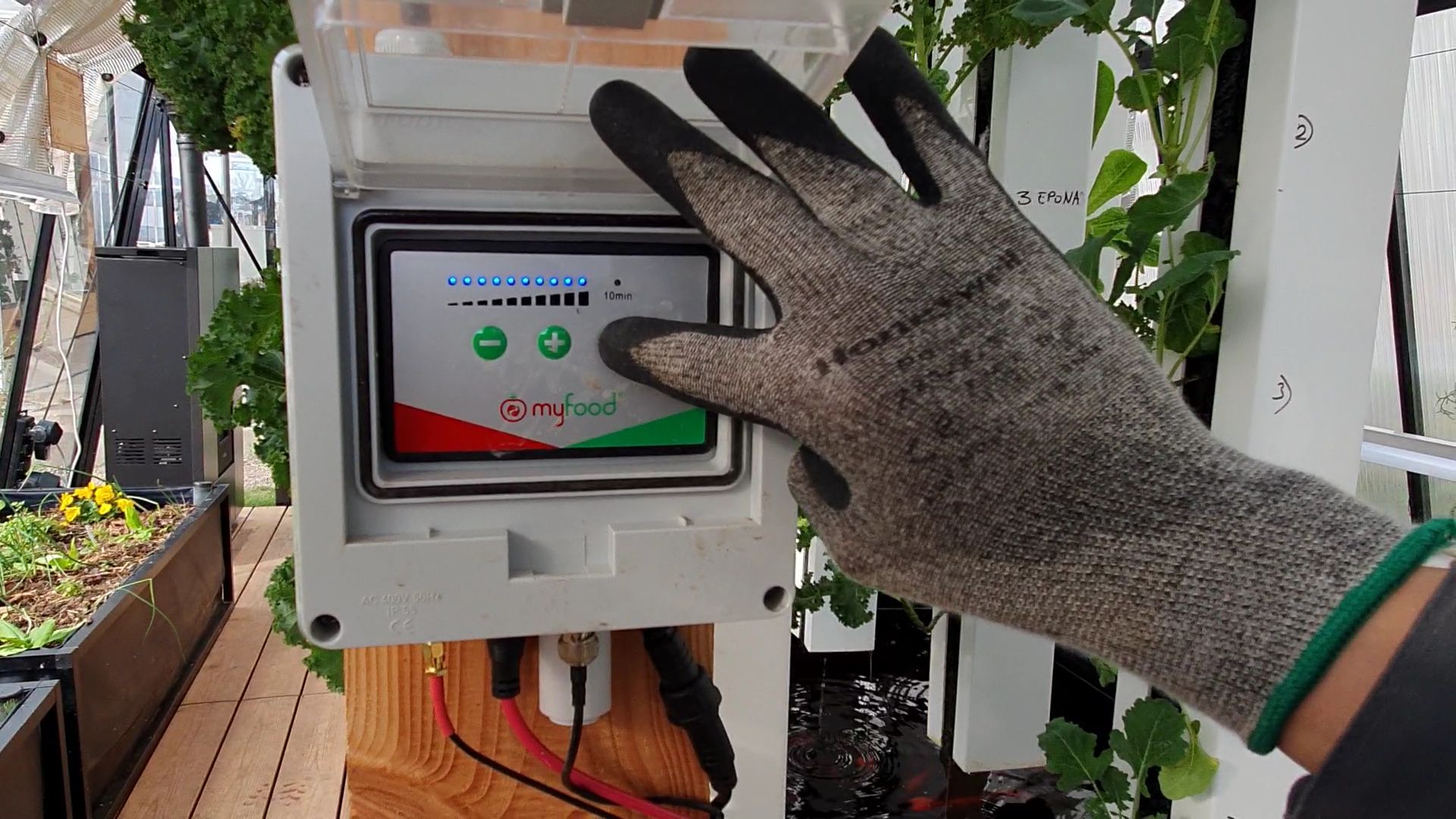
No data received, no connectivity [INC-MES-002]
Date discovered : 01/03/2018
Criticality : high
Impact : all greenhouses in a region with weak SIGFOX coverage, greenhouses outside Europe.
Incident description :
When the pump is started, no data is received from the greenhouse.
Cause : Hardware issue or signal reception too weak in the environment. SIGFOX infrastructure is still being deployed (especially in Belgium, Switzerland and border areas). No compatible SIGFOX coverage is available in the area.
Resolution : Install a SIGFOX repeater or connect to a Wifi network near the greenhouse. Contact us via this form: Support portal
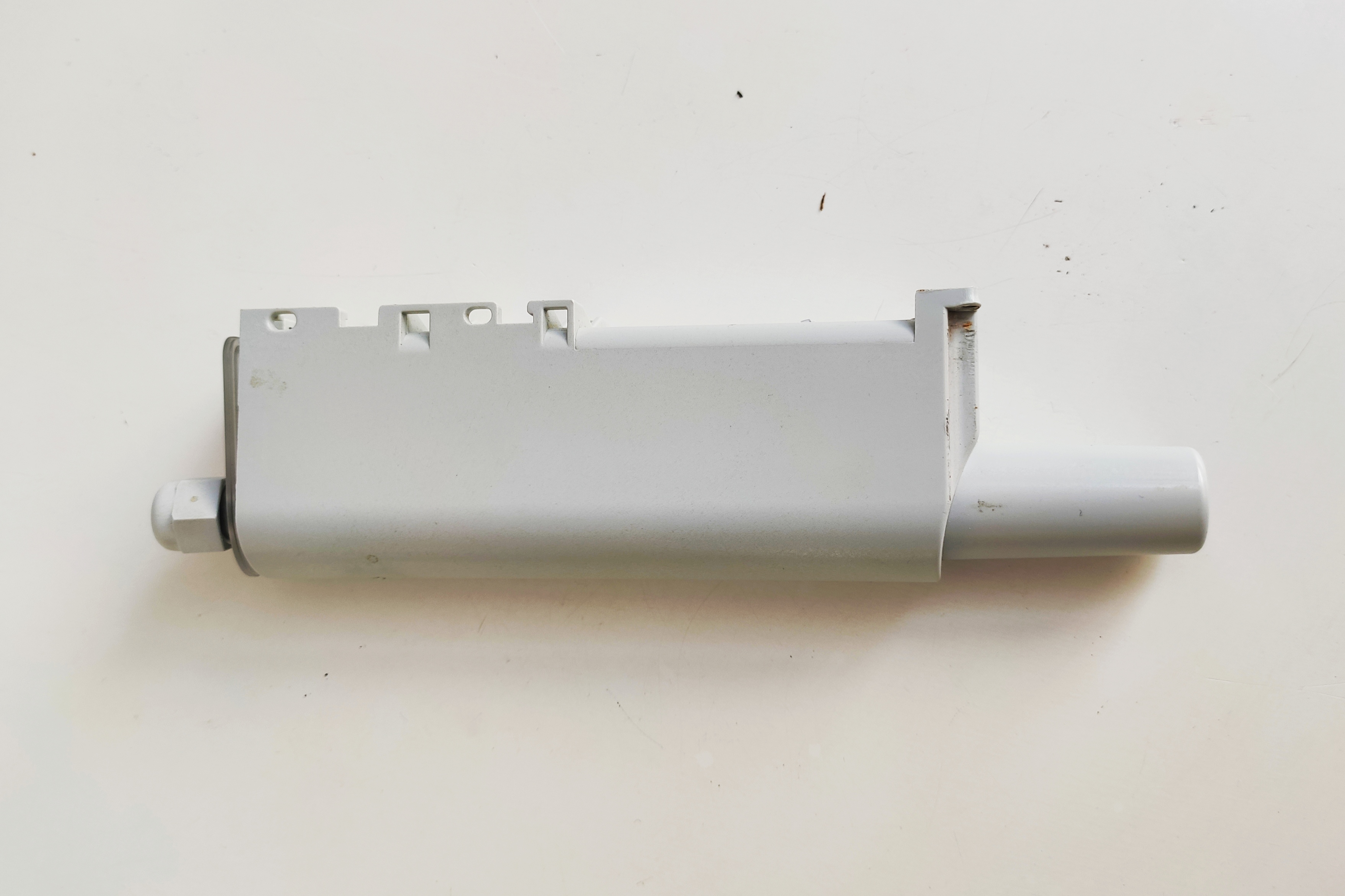
Upon receipt, place the repeater directly in the greenhouse. You do not need to connect it to a power supply.
Inconsistent pH measurements [INC-MES-003]
Date discovered : 01/01/2018
Criticality : low
Impact : all greenhouses.
Incident description :
After starting the installation, the pH probe indicates a value below 4 or above 9.
Cause : The plastic tube was not removed after installation. The probe stayed out of the water for too long or was damaged. Issue with the power supply.
Resolution : Remove the plastic tube, check the condition of the tip of the probe. Check the reading in a 7° buffer solution for several hours. Order a new probe if needed.
Inconsistent indoor air temperature measurement [INC-MES-007]
Date discovered : 01/01/2021
Criticality : low
Impact : all greenhouses.
Incident description :
The recorded indoor air temperature is a few degrees higher.
Cause : High temperature inside the measurement box.
Resolution : Check the airflow inside the box (fan operation, filter cleanliness)
Stability issue in measurement reception in summer [INC-MES-008]
Date discovered : 01/01/2022
Criticality : medium
Impact : all greenhouses.
Incident description :
As the temperature rises, the box no longer responds. No data is accessible on the HUB or locally.
Cause : High temperature inside the measurement box. Direct light on the box, especially on City models
Resolution : Check the airflow inside the box (fan operation, filter cleanliness). Shade the box from the outside on the City.
Stability issue in pH measurement reception [INC-MES-009]
Date discovered : 01/02/2025
Criticality : medium
Impact : all greenhouses delivered between 01/02/2025 and 01/05/2025
Incident description : No measurements from the pH probe, values above 11, abnormal variations during calibration. Outside the fish tank, the pH probe works normally.
Cause : Electrical design more sensitive to residual electrical noise in the fish tanks.
Resolution : Move the pH and temperature probes apart so that they are not in contact. Move the pH probe away from other electrical equipment in the water. With the power off, using a soldering iron and pliers, heat capacitors CX1 then CX2 to remove them from the circuit.
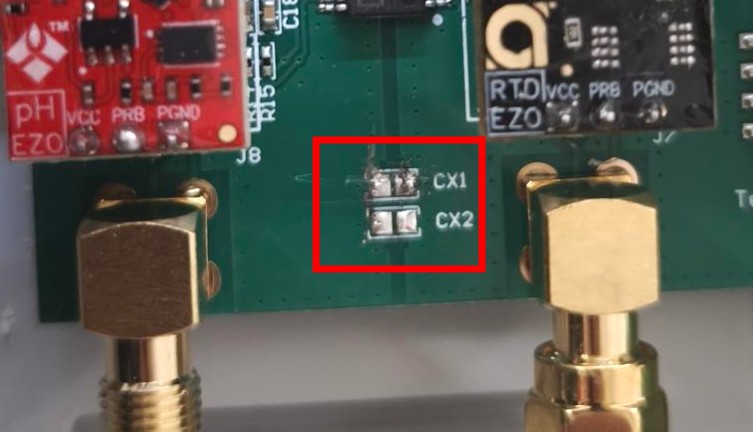
Capacitors removed to prevent stray current flow
[Diagnostic] No data received on the Myfoodhub platform
Check for the presence of a local Wifi network named AJ_MYFOODPIXXXXX near the greenhouse.
If the signal is present :
- Access the local administration interface to access your data
- On an Android phone or iPhone, turn off mobile data
- Enter the address http://192.168.137.1:5000 in a browser
- Download the log files to help diagnose the connectivity issue
- Check the condition of the sensors and the antenna inside the box
If there is no Wifi signal :
- Switch off the pump from the power box at the entrance of the greenhouse
- Wait a few seconds
- Switch the pump back on
- Wait a few minutes for the Wifi network to reappear
- After 30 / 45 minutes, the data synchronises with the HUB interface
- If not, update the program by following these instructions: Program update
If you could not restore the situation by following this procedure, contact us by filling in this form: Support portal
[Operation] Replacing the measurement box
The measurement boxes have terminal blocks for the electrical section as well as a fully removable front panel.
They are also equipped with an internal fan for better heat dissipation.
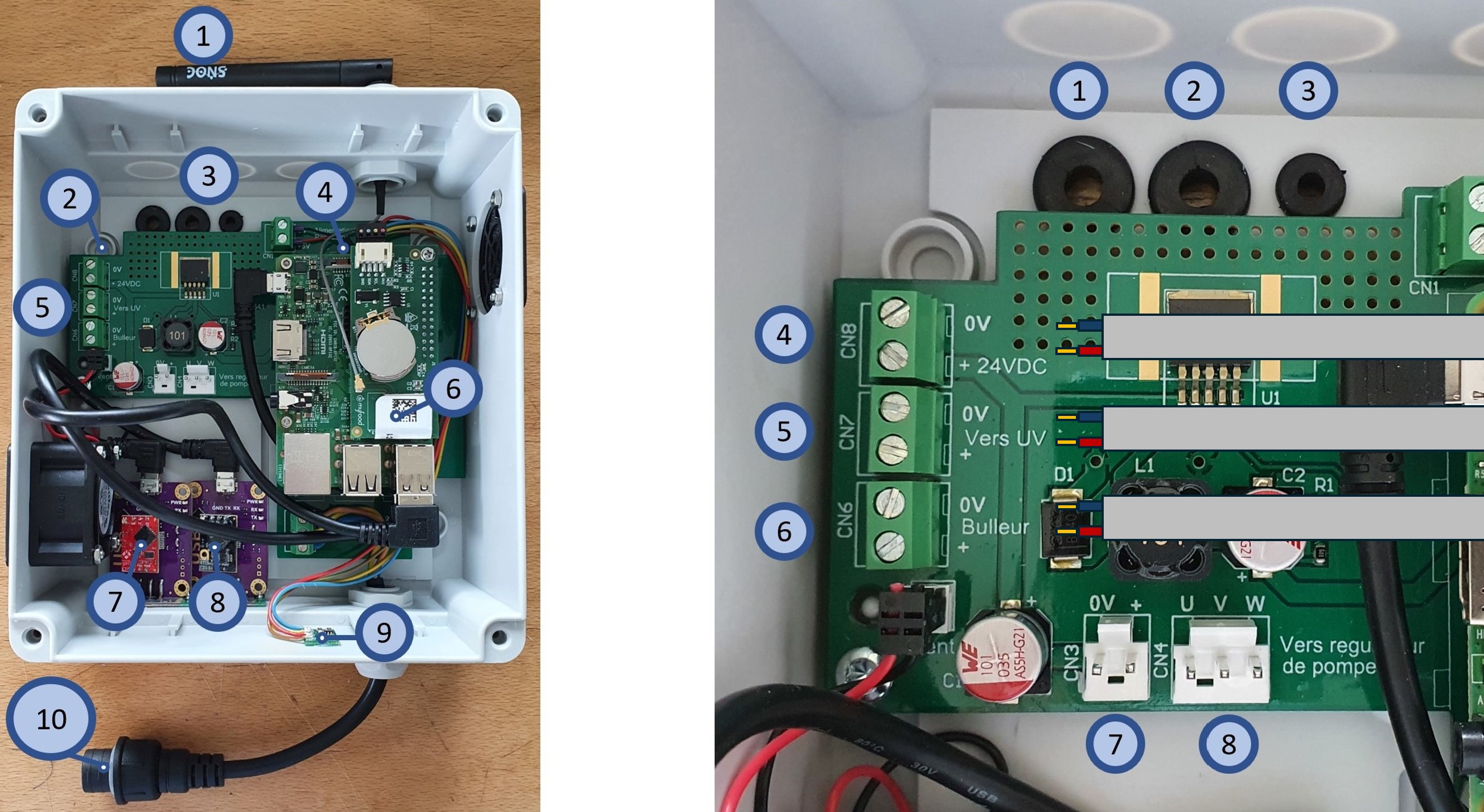
Measurement box v0.5
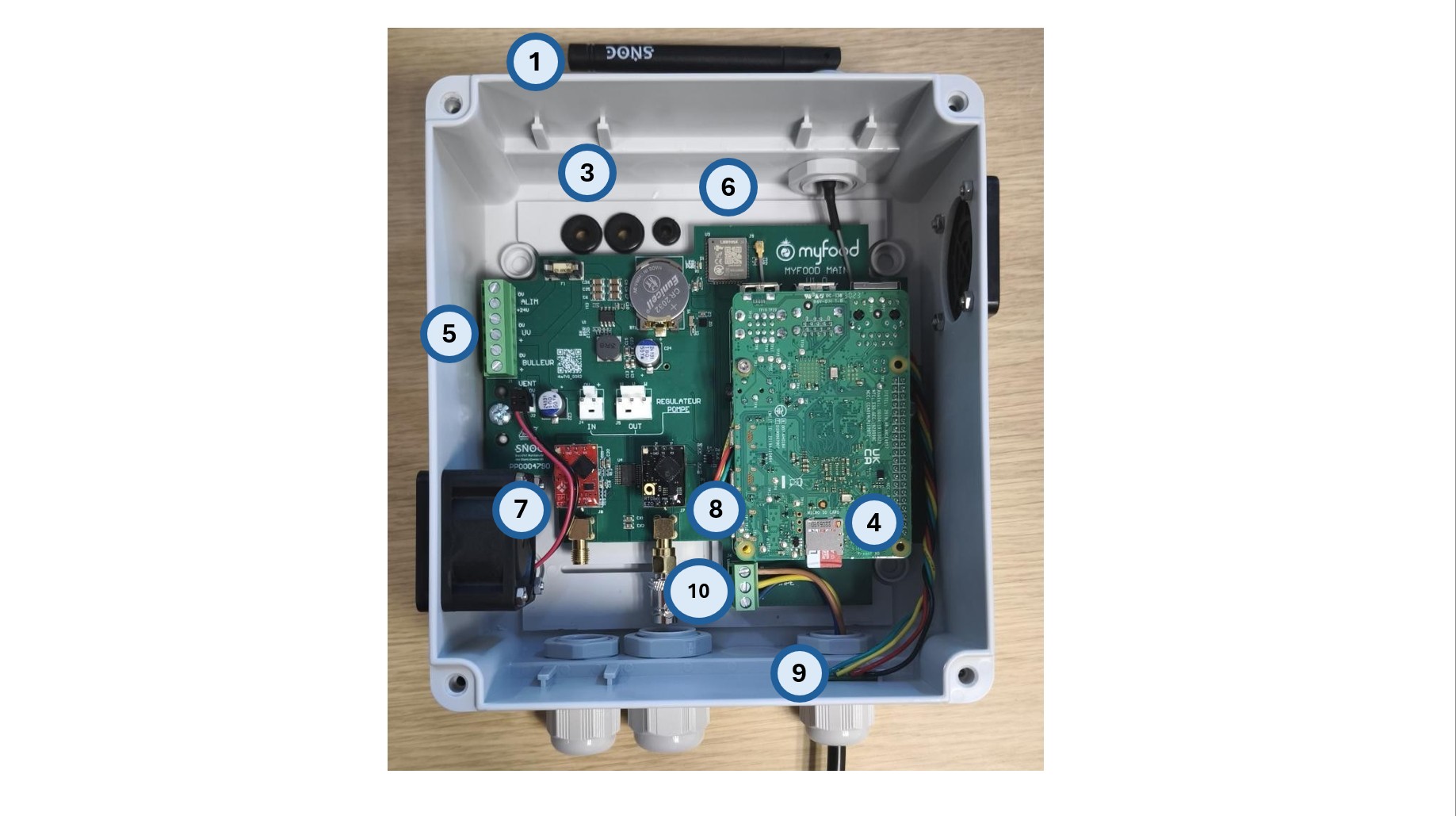
myfood main measurement box v1.0
Description of the contents of the box
- 1 : Sigfox antenna to unfold during installation
- 2 : location to drill to mount the box (Family : 2 locations at the top left and right, City : 2 locations on the right, top and bottom)
- 3 : routing for 24V electrical cables (see detail)
- 4 : SD card slot
- 5 : electrical cable terminal block
- 6 : Sigfox communication board with its identification QR code
- 7 : pH acquisition board
- 8 : water temperature acquisition board
- 9 : temperature and humidity sensor
- 10 : power cord to the pump
Details of the electrical connections
- 1 : 24V power input from the power box
- 2 : 24V power output to the submerged filter UV lamp (+ red / brown, - blue)
- 3 : 24V power output to the submerged air pump (+ red / brown, - blue)
- 4 : 24V input connection (+ red / brown, - blue)
- 5 : output connection to the submerged filter UV lamp (+ red / brown, - blue)
- 6 : output connection to the submerged air pump (+ red / brown, - blue)
- 7 : connection to the front panel of the pump controller (1/2)
- 8 : connection to the front panel of the pump controller (2/2)
For the Family, the electrical cables pass through the wooden structure, which must be drilled.
Routing the cables inside the box will be easier by lubricating the seals (soap or grease).
Details of the electrical connections
[Operation] Flash an update of the Myfoodapp application onto a micro-SD card
A program update is required when your greenhouse is no longer accessible from the HUB.
This program is compatible with Family and City for all box versions.
There is no need to update if you do not have any particular issue with your data.
To update your program, download and install the latest version available below.
Steps to follow
-
Switch off the pump during the operation on the measurement box.
-
Inside the box, remove the micro-SD card.
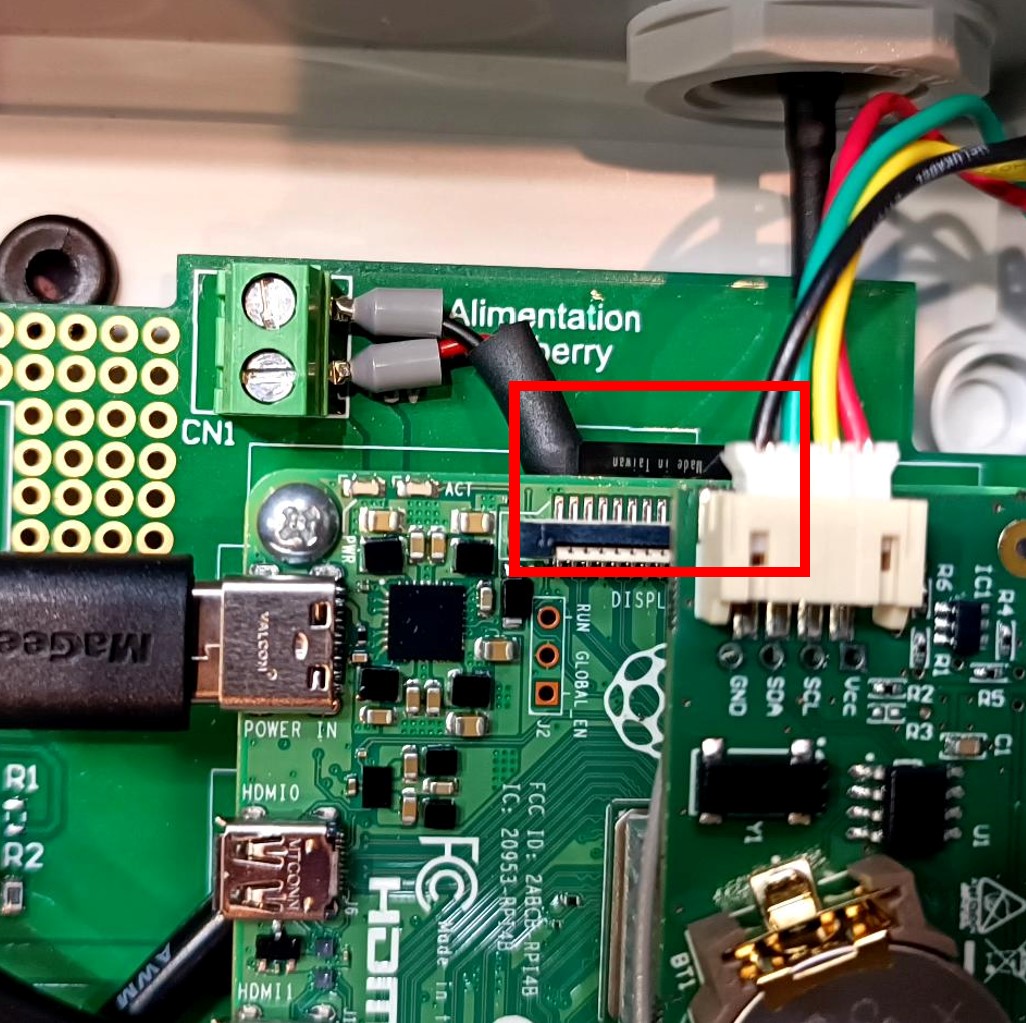
Location of the micro-SD card for older boxes (< March 2025)
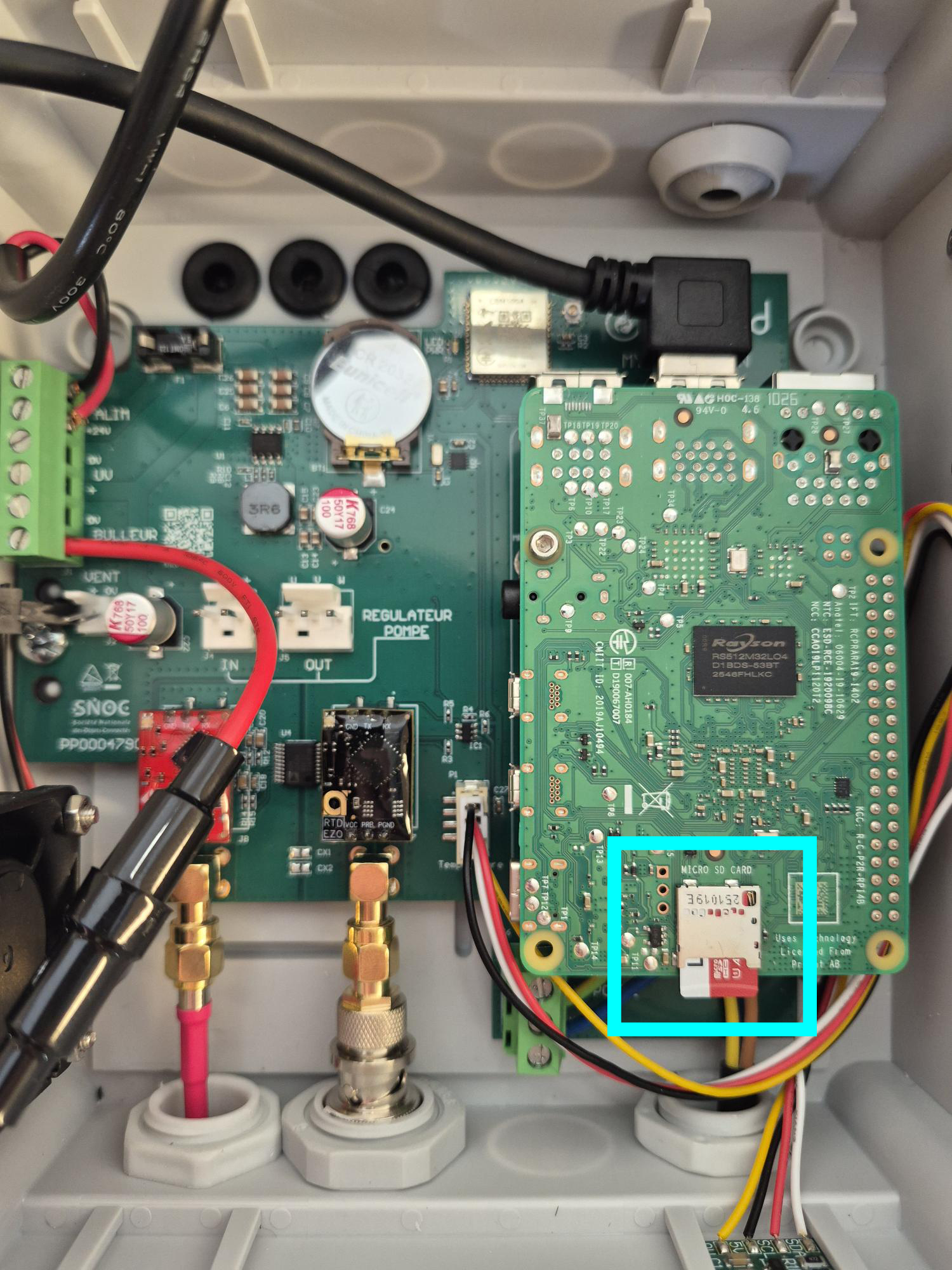
Location of the micro-SD card for recent boxes (> March 2025)
- Download the following items :
RASPBERRY PI IMAGER (to erase the contents of the existing SD card and write the new program)
IMAGE MYFOODAPP Core v0.6.0.0 (disk image to select)
-
Install RASPBERRY PI IMAGER.
-
Insert the micro-SD card into your computer (or using an external SD reader), then launch RASPBERRY PI IMAGER.
Select: DEVICE : no filtering / OS : use a custom image (select the disk image file you downloaded) / STORAGE : make sure to select the SD card (not a system disk!)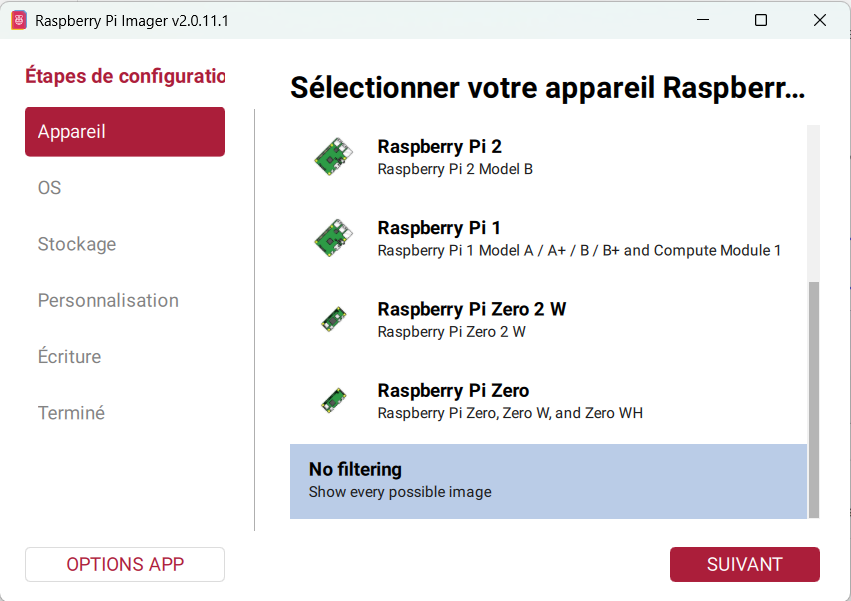
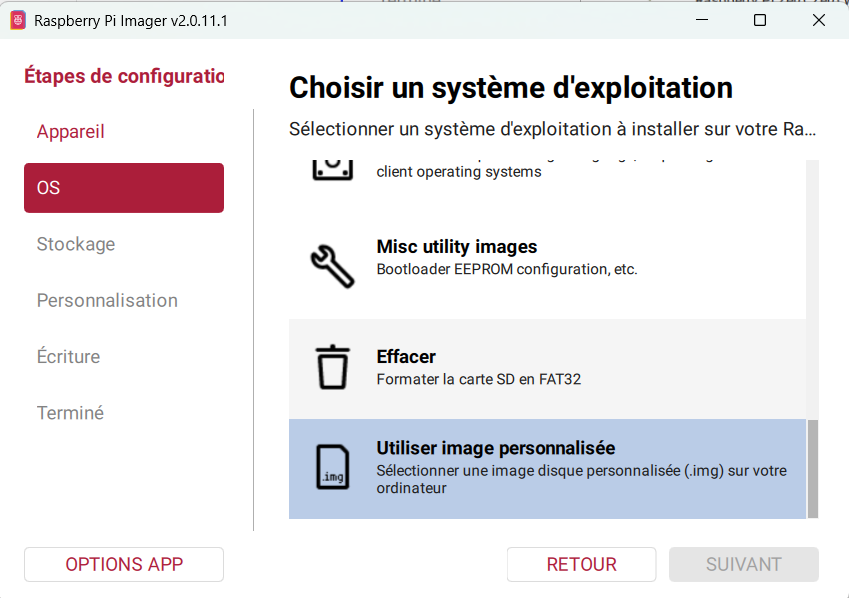
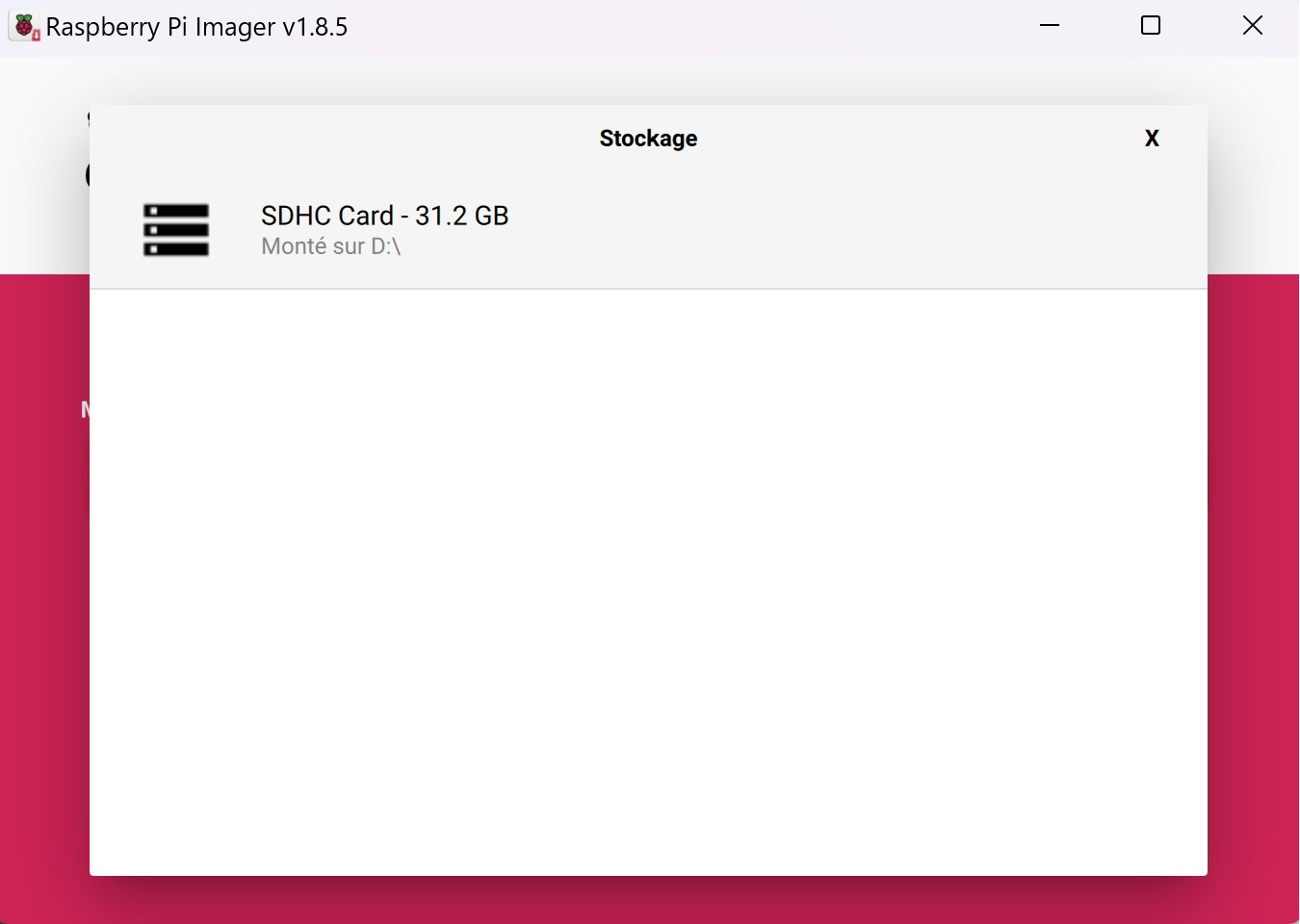
Click on SD Card / Choose SD Card and select the SD card
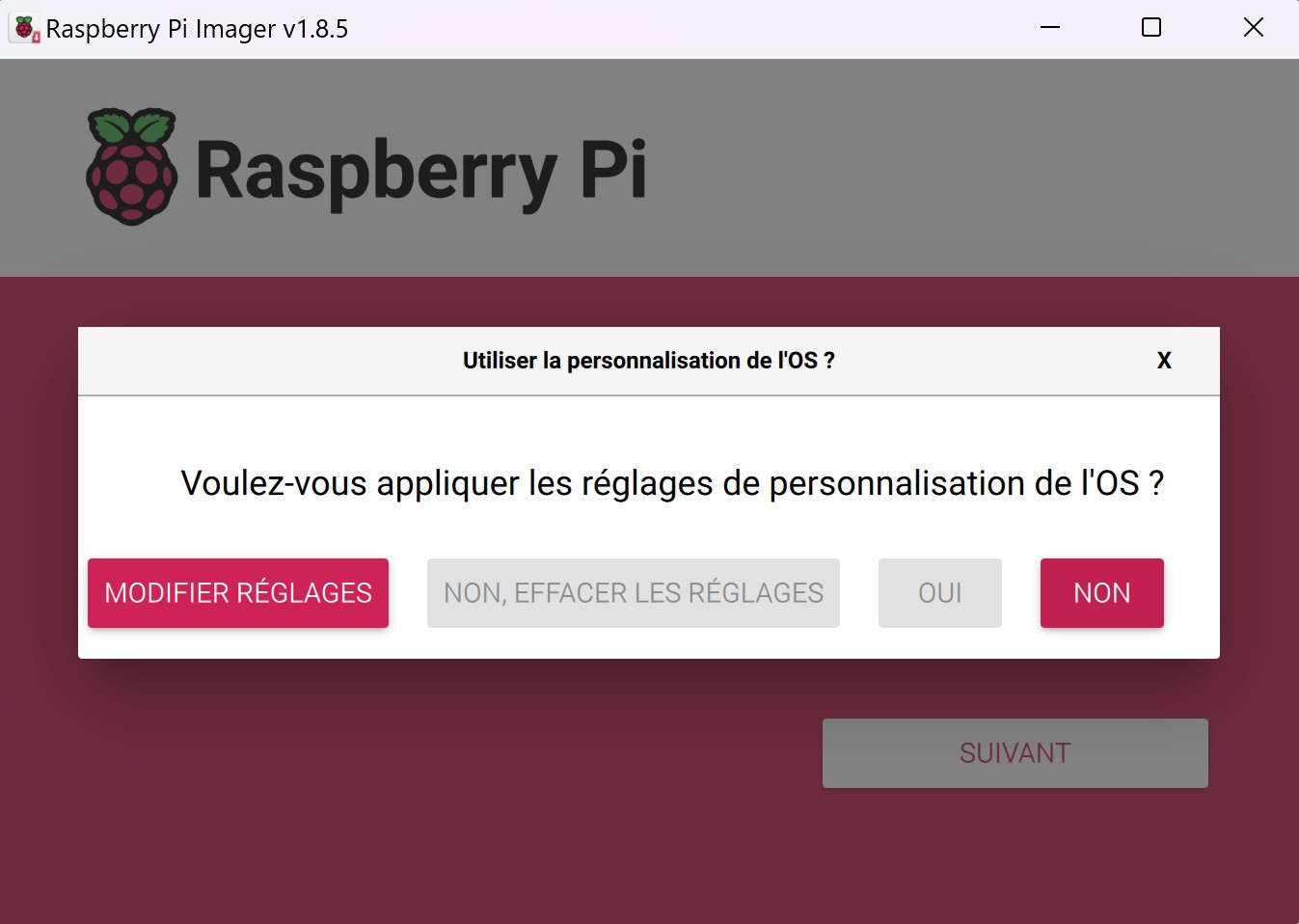
Click on Write then No to start writing the program
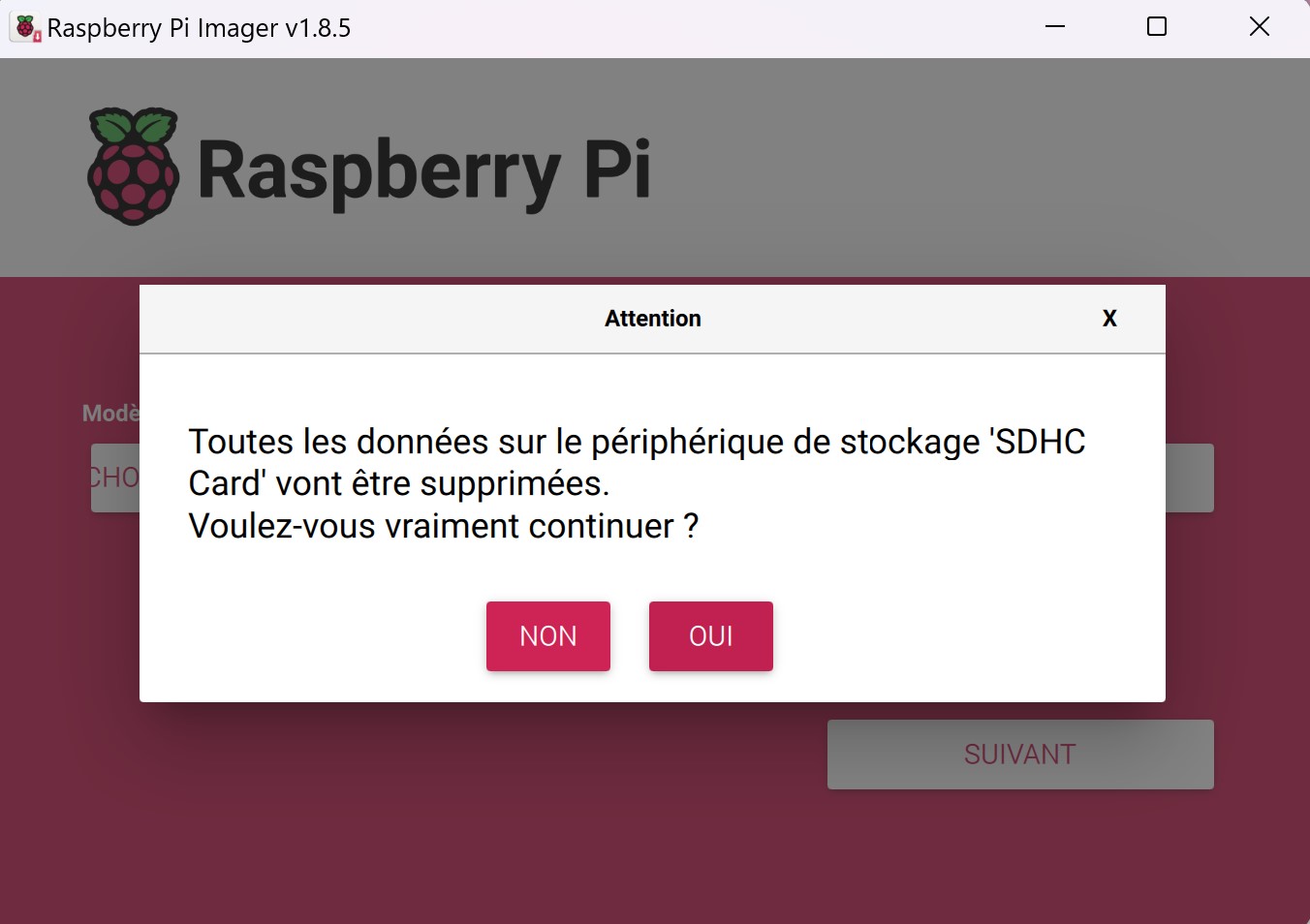
Once the operation is complete, put the micro-SD card back in place and restore power to the box.
Once the box has restarted, for older box versions, you need to change the version by connecting to the greenhouse wifi and going to http://myfoodpi.local
Go to OPTIONS and select :
V2 for boxes installed before 01/04/2022
V3 for boxes installed before 01/03/2025
[Operation] Access greenhouse settings
Access to the local interfaces is via the addresses: http://192.168.137.1:5000/ and http://192.168.137.1:8080/ (Wifi network: AP_MYFOODPI_CORE)
Additional settingsFor boxes that have an SNOC communication board, select V.1 on the Sigfox Hardware Version tab from the local administration console (http://192.168.137.1:5000/admin) then click the "Save Settings" button. For more recent boxes, the images below indicate the hardware version to select.
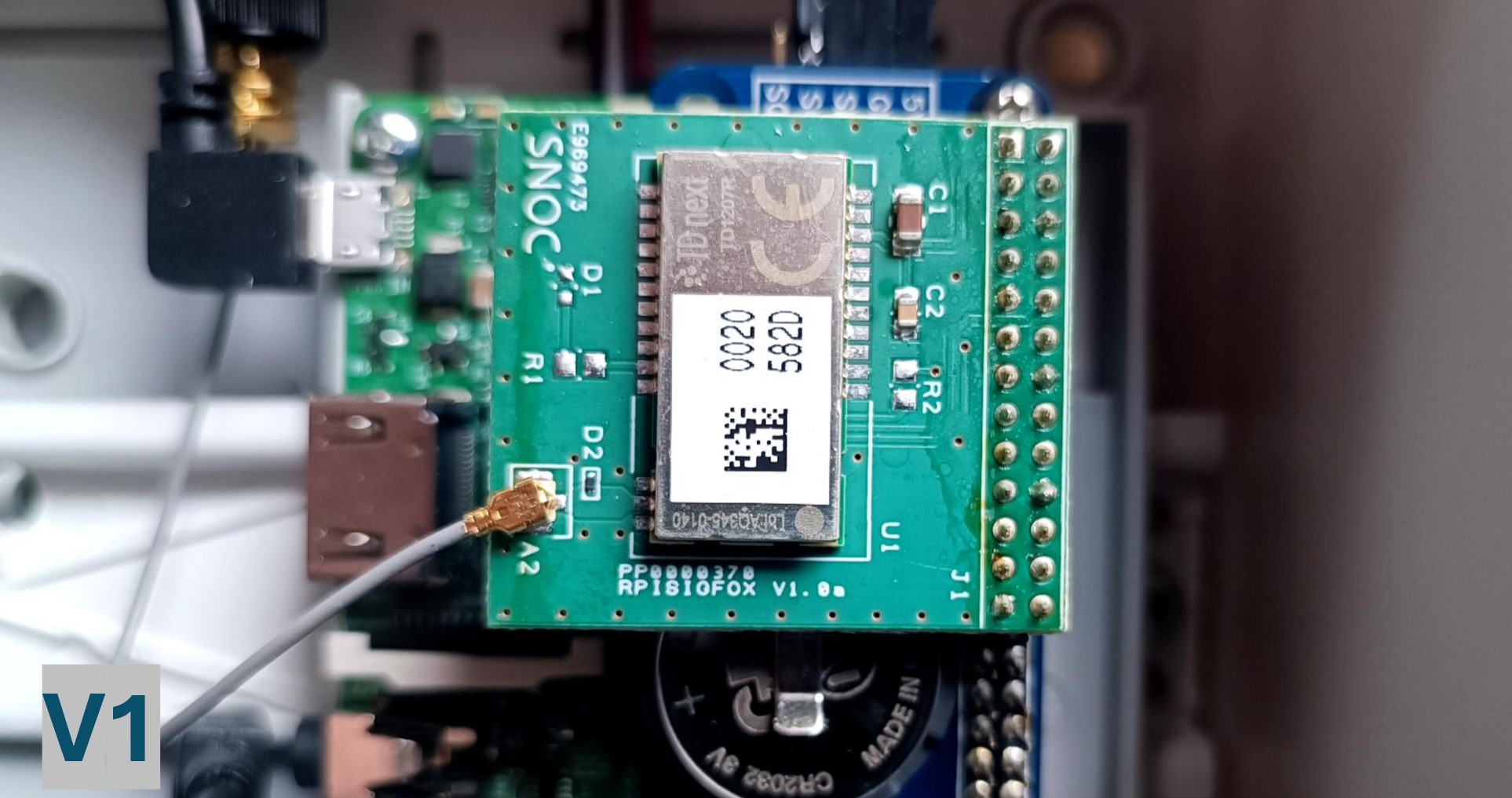
SNOC board - Version 1
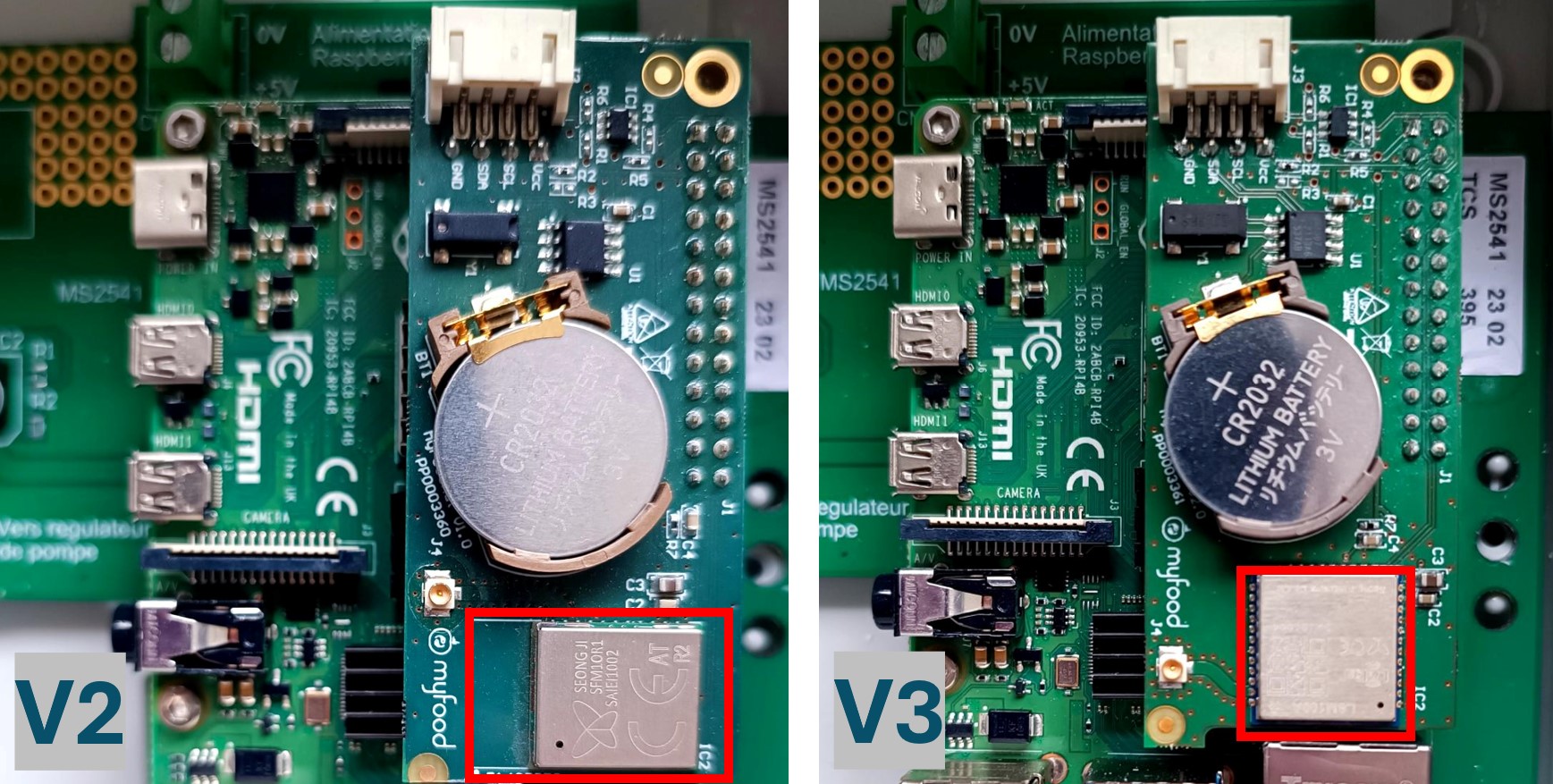
MYFOOD-HAT board version 2 and version 3 (after 02/02/2024)
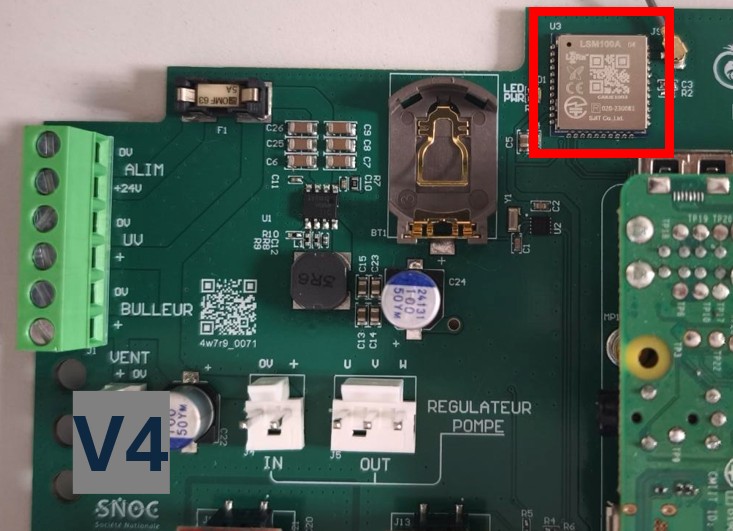
MYFOOD-MAIN board version 4 (after 01/03/2025)
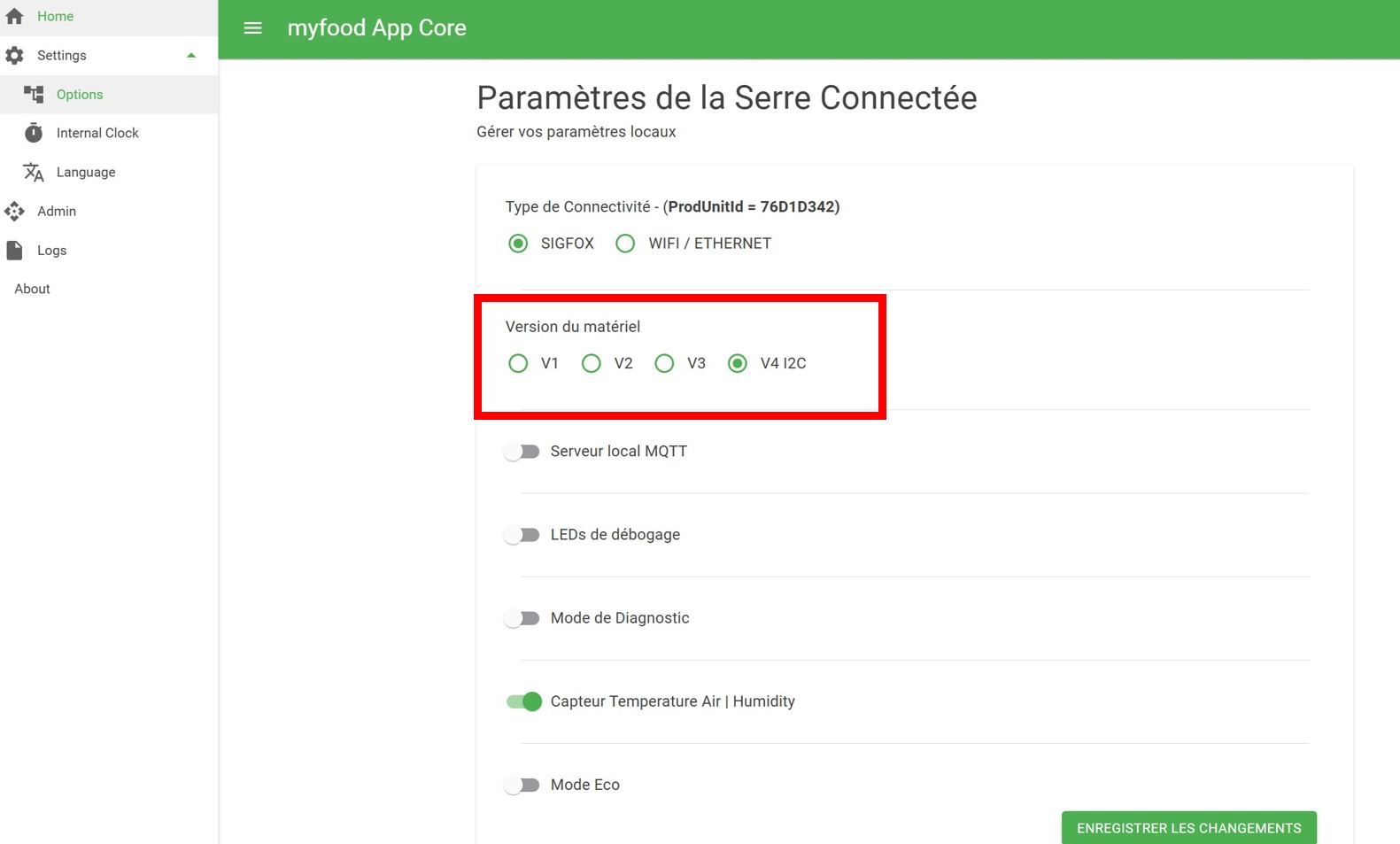
Selection of the communication version from the local administration interface
Updated 8 days ago