
Set the timer
A timer is required to schedule certain equipment in your greenhouse.
1. Relevant equipment
This timer is useful for:
- The water pump of the Aerospring
- The water heating elements for the fish tanks
- The electric heater of the City and the Family11
- The heating mat
2. Setting the parameters
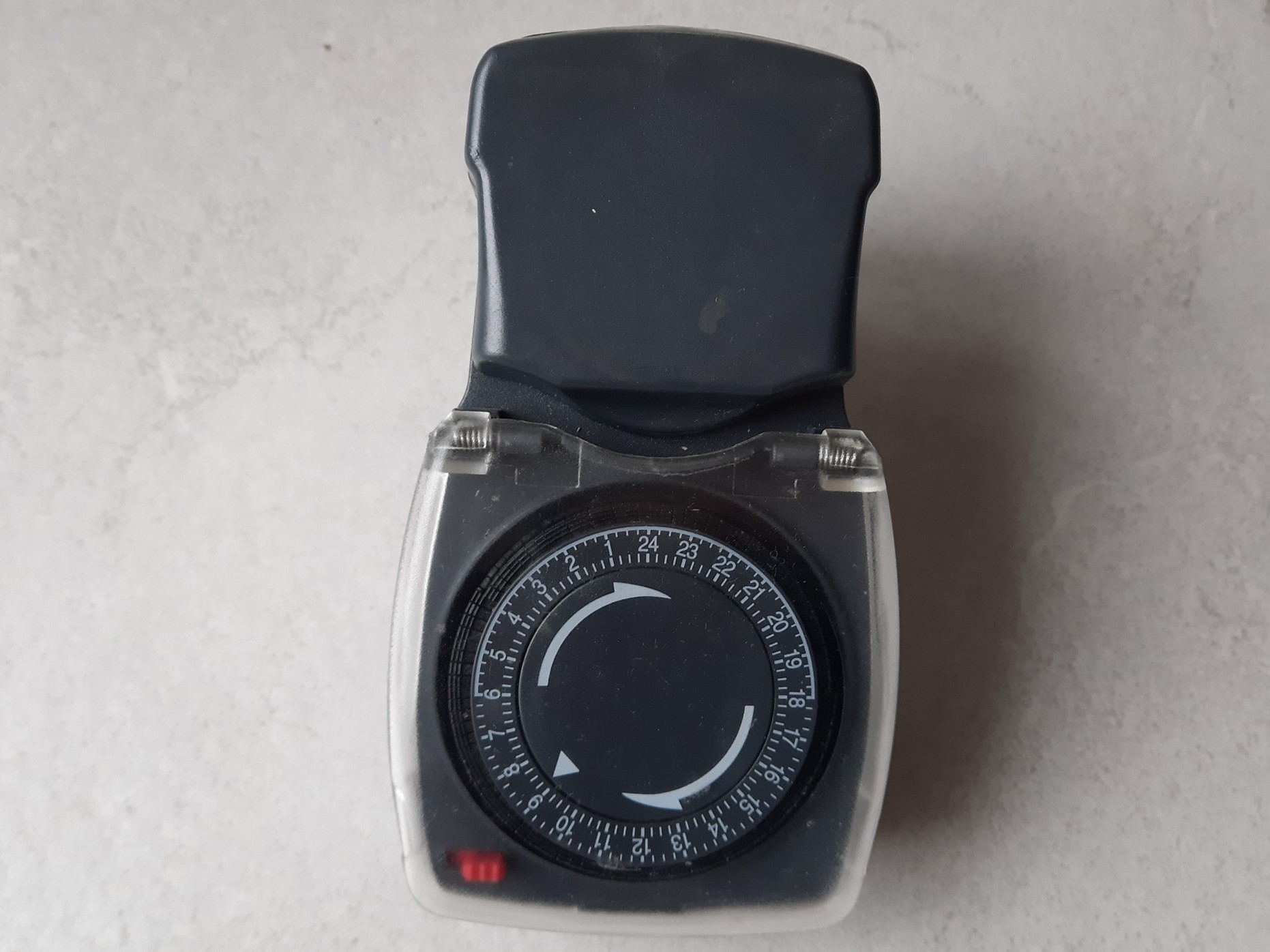
Details
- The numbers from 1 to 24 represent the hours of a day. Between each number, the dashes indicate the quarter-hours
- Each quarter-hour is associated with one notch
- Each notch has 2 positions: up (not engaged) and down (engaged)
- The minimum programming duration is 15 minutes, 1 notch = 15 minutes of watering
- The maximum programming duration is 24H = all notches in the down position = all notches engaged
Step 1: Define the programming time slots
Using the tip of a pen, press the notches corresponding to the desired time slots.
Example: for operation of the equipment connected to the timer between 8 a.m. and 9 a.m., you need to press the 4 notches between 8 and 9 on the dial.
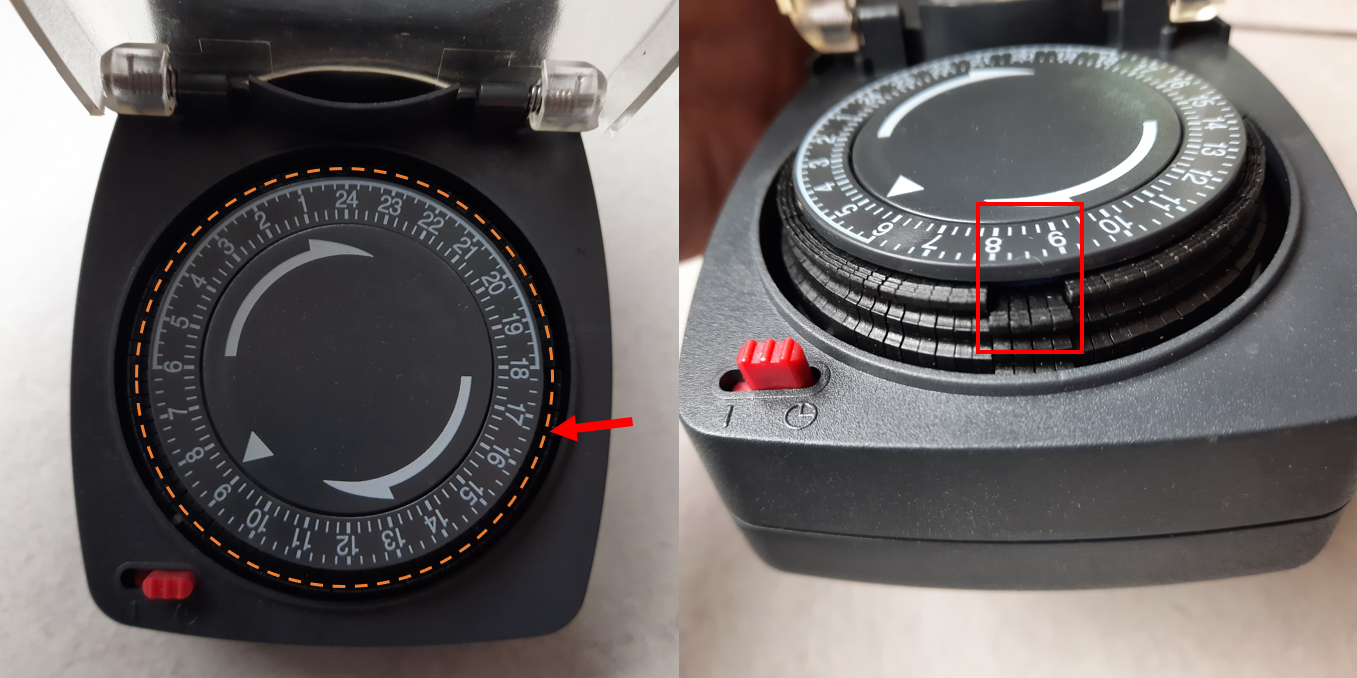
On the left: the orange dashes indicate the position of all the notches. To engage one, press it as indicated by the red arrow.
On the right: example of programming for operation between 8 a.m. and 9 a.m., the 4 notches are down.
Step 2: Set the current time
Turn the dial clockwise until the white triangle indicates the current time (at the moment the timer is plugged into the mains).
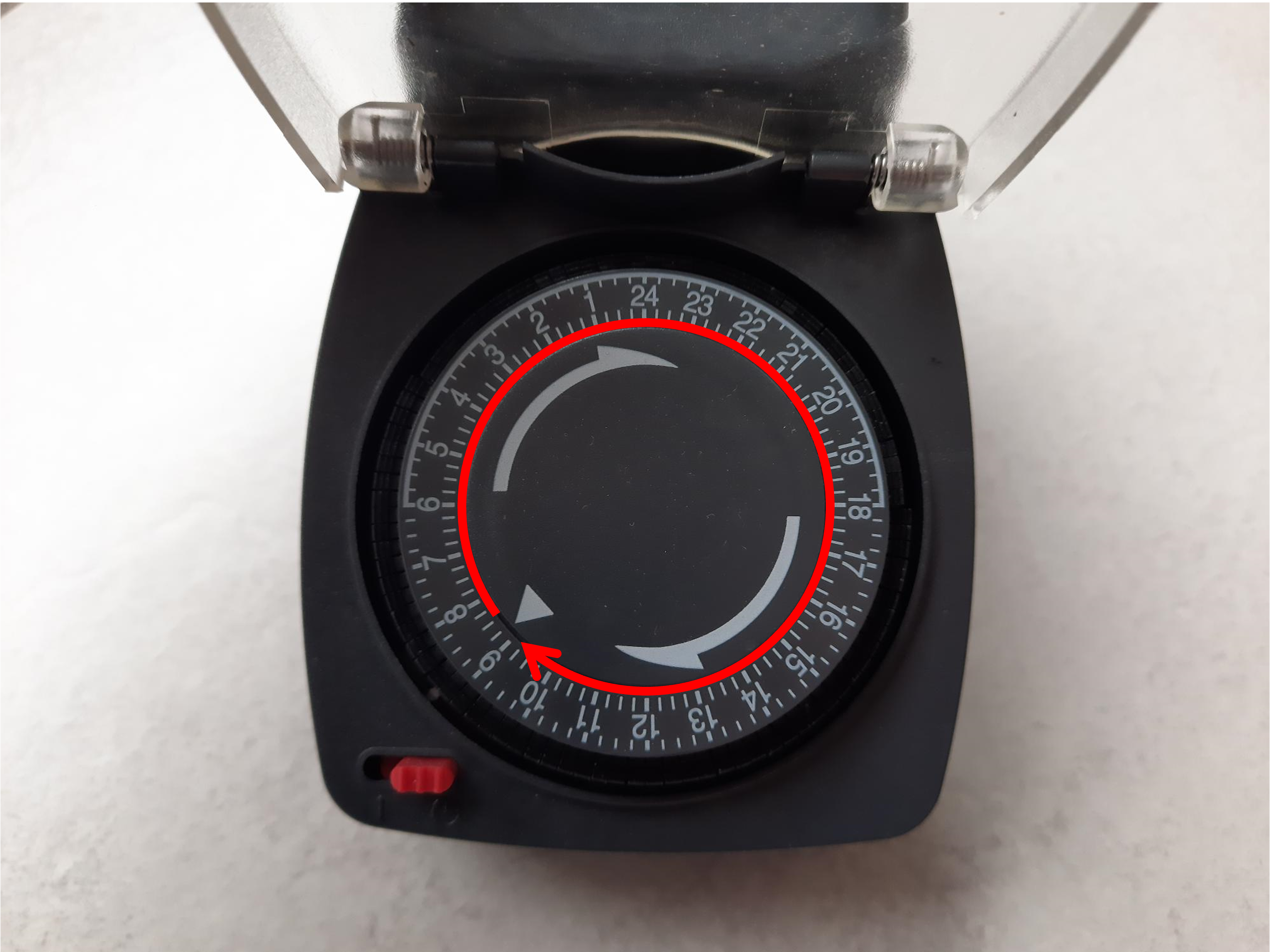
Turn the dial to the desired time.
Step 3: Define the operating mode
The timer has 2 modes:
- Continuous operation (red slider in the right position): the equipment runs continuously without programming.
- Programming ON (red slider in the left position: clock symbol): the equipment runs during the indicated time slots.
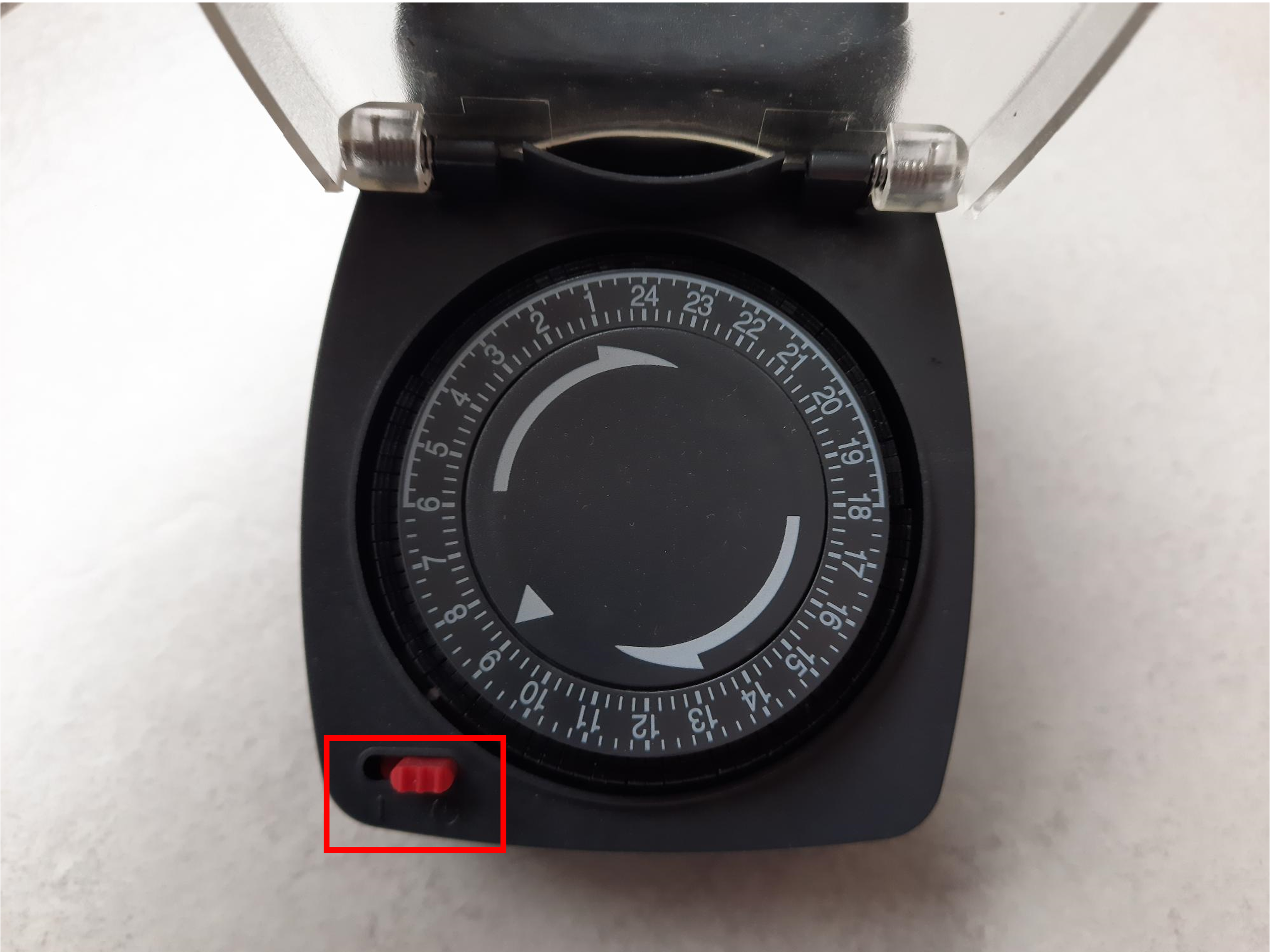
In this photo, programming is active, the slider is on the clock
Step 4: Connect the equipment to the timer
The timer can be plugged directly into the mains. Then connect the equipment (Aerospring pump, heating element) by lifting the timer socket cover.
Daily repetitionThis timer is designed for a 24H period, i.e. one day. The programming will be identical every day.
Programming example
For this example:
- Equipment programmed between 8 a.m. and 3 p.m. with an interruption from 10 a.m. to 11 a.m.
- Current time 10 a.m.
- Between 10 a.m. and 12 p.m. then between 3 p.m. and 8 a.m., the equipment does not run.
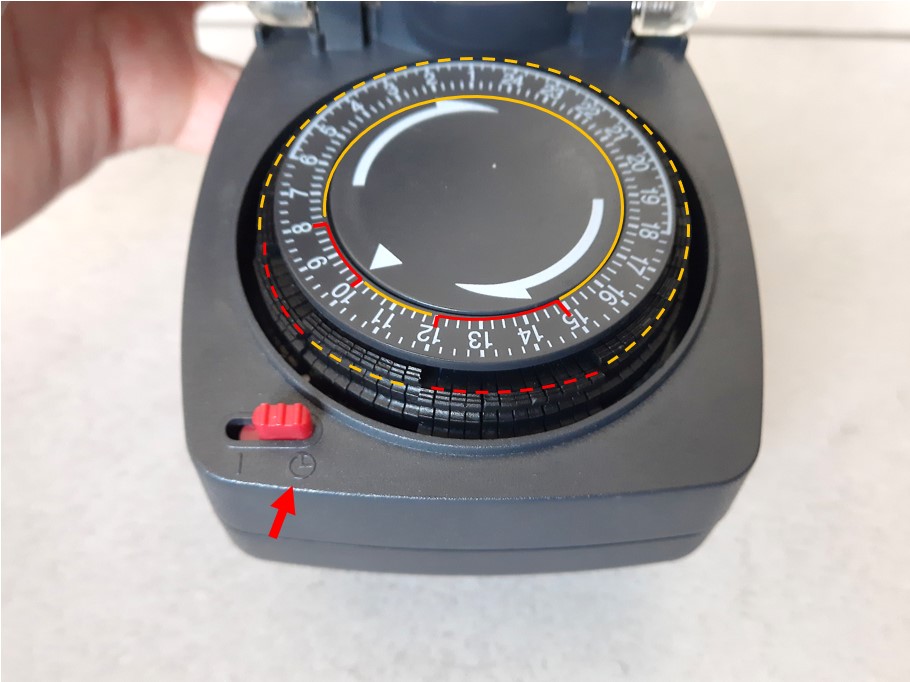
In red: selected time slots = equipment operating
In yellow: unselected time slots = equipment stopped
To make the programming active, place the red slider on the right-hand side.
Detail: 8 a.m. to 10 a.m. = 8 notches down; 10 a.m. to 12 p.m. = 8 notches up; 12 p.m. to 3 p.m. = 12 notches down; 3 p.m. to 8 a.m. = 68 notches up